
Download LangOver – Free Keyboard Layout Switcher & Text Fixer for Windows, Mac, Android, iOS
Why LangOver Is a Game-Changer for Multilingual Users
If you frequently switch between languages while typing—whether you're writing emails, coding, translating documents, or managing social media—LangOver is the software you've been waiting for. Designed specifically for multilingual users, LangOver eliminates the frustration of mismatched keyboard layouts that lead to garbled text and wasted time. Instead of navigating through Windows settings or macOS system preferences every time you switch languages, LangOver allows you to correct your text and change your keyboard layout with just a single hotkey. This seamless integration into your workflow makes it an essential tool for students, writers, translators, developers, and professionals working in international environments.
LangOver supports virtually every language combination, including Arabic, Chinese, French, German, Spanish, Russian, and many more. The software runs quietly in the background, monitoring your keystrokes and automatically detecting layout mismatches. Once detected, you can instantly correct the text with a customizable shortcut—no need to retype anything. The app also remembers your preferred layouts per application, so you can have English on your browser, Spanish in your word processor, and German in your email client, all without conflict. With a lightweight design and minimal system resource usage, LangOver ensures your device stays fast and responsive.
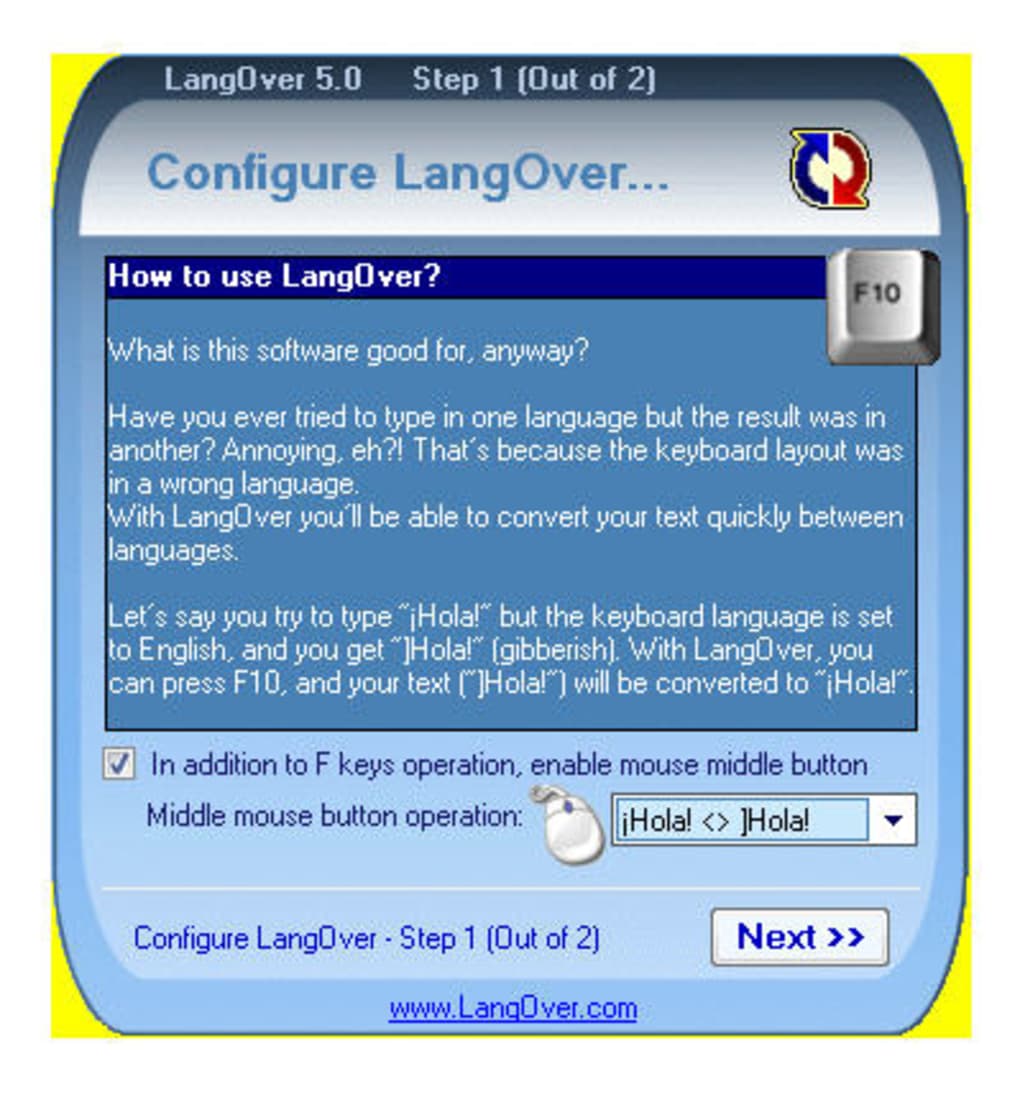
What truly sets LangOver apart is its intelligent text correction engine. Unlike basic layout switchers, LangOver doesn’t just change the keyboard—it rewrites your existing text to match the new layout. This means if you accidentally typed in German while your layout was set to English, LangOver will convert the text back to readable English with a single click.
It’s like having a real-time language translator for your keyboard. Whether you're writing in a hurry or working on a tight deadline, LangOver ensures accuracy and efficiency. The software is completely free to download and use, with no ads, no hidden fees, and no data collection—making it one of the most secure multilingual tools available.
Key Features That Make LangOver Stand Out
- One-click keyboard layout switching with customizable hotkeys
- Real-time text correction for mismatched layouts across any language pair
- Support for over 100 languages and keyboard layouts
- Application-specific layout settings (e.g., different layouts per program)
- Minimal system resource usage – runs smoothly in the background
- Secure, ad-free, and privacy-focused with no data collection
- Automatic detection of layout mismatches during typing
- Easy configuration through a clean, intuitive interface
- Regular updates to improve compatibility and performance
- Available for Windows, Mac, Android, and iOS (via app store)
LangOver’s feature set is both powerful and user-friendly, making it accessible to beginners and advanced users alike. The hotkey system is highly customizable—users can assign any key combination to trigger layout switching and text correction. This flexibility is especially helpful for users with complex workflows or those who use multiple devices. The application-specific layout settings are a standout feature, allowing you to tailor the experience to your needs. For example, you can set your default layout to US English in your browser, but switch to French AZERTY in your writing app without interference.
Another major advantage is the automatic layout detection. LangOver continuously monitors your typing behavior and flags inconsistencies in real time. When it detects a mismatch, it prompts you with a subtle notification or instantly corrects the text based on your settings.
This proactive approach prevents errors before they become problems. The software also supports both physical and virtual keyboards, making it ideal for tablet users and touch-screen devices. With regular updates, LangOver ensures compatibility with the latest versions of Windows 10/11, macOS Ventura, and Android 12+, as well as iOS 15+.
For developers and power users, LangOver offers advanced options like script integration and command-line support. This allows automation of layout changes in batch processes or scripts. Whether you're a freelance translator, a content creator, or a global business professional, LangOver adapts to your workflow. The fact that it’s free and open to all users—without watermarks or trial limitations—makes it one of the most generous tools in its category.
How to Install and Use LangOver on Windows, Mac, Android, and iOS
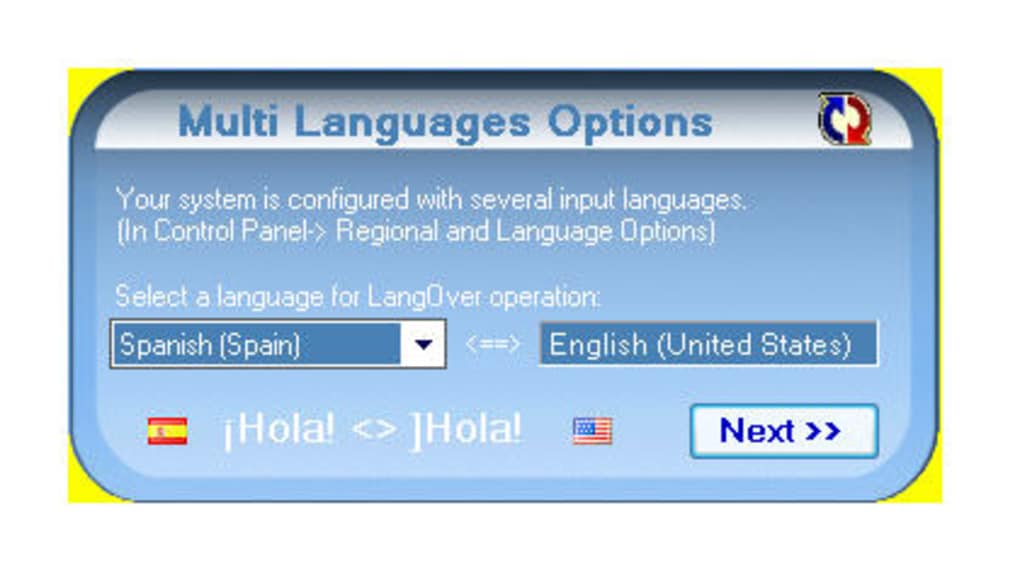
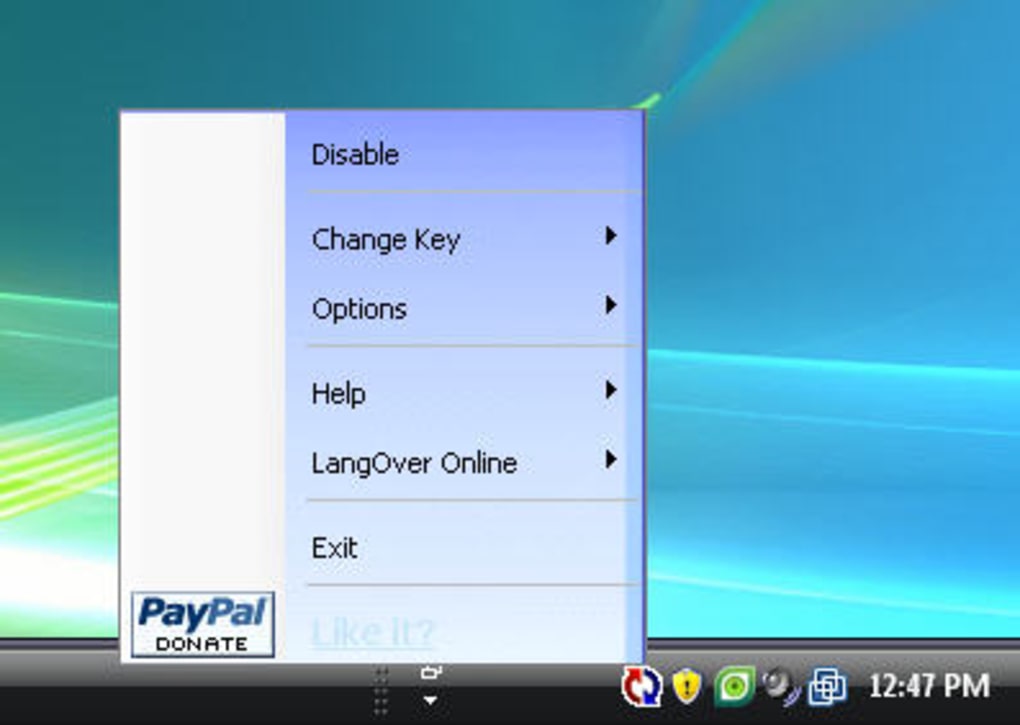
Installing LangOver is quick and straightforward across all supported platforms. For Windows users, visit the official LangOver website, download the installer (available as .exe), and run it. Follow the on-screen instructions—no complicated setup required. Once installed, LangOver runs silently in the system tray. To configure your layouts, open the settings panel by right-clicking the LangOver icon and selecting “Settings.” From there, you can assign hotkeys, choose default layouts, and enable application-specific rules.
On Mac, download the .dmg file from the official site, open it, and drag LangOver into your Applications folder. After installation, launch the app from the Applications menu. The first time you run it, you’ll be prompted to grant accessibility permissions—this is essential for LangOver to monitor and correct text input. Once enabled, the app runs in the menu bar. Use the preferences window to customize your layout preferences and hotkeys.
For Android and iOS users, LangOver is available via the Google Play Store and Apple App Store. Search for “LangOver,” download the app, and follow the setup wizard. The mobile version supports on-screen keyboard layout switching and text correction during typing. While mobile functionality is slightly more limited than the desktop version, it still delivers strong performance for users on the go.
Using LangOver is intuitive. Simply type in your preferred language, and if you accidentally switch layouts, press your assigned hotkey (e.g., Ctrl+Shift+L) to instantly fix the text and switch the layout. The correction happens in real time, so you can continue typing without interruption. For users who frequently switch between languages, the ability to save layout profiles per app is a game-changer. This means you can work in multiple languages without ever having to manually adjust settings.
Pros and Cons: Is LangOver Right for You?
Pros
- Free to download and use with no hidden costs
- One-click layout switching and text correction
- Supports a vast range of languages and keyboard layouts
- Application-specific layout settings for personalized workflows
- Lightweight and efficient, with minimal impact on system performance
- Secure, privacy-focused, and ad-free
- Regular updates and strong developer support
- Available on Windows, Mac, Android, and iOS
Cons
- May not work perfectly with all language combinations (e.g., German + English)
- Mobile version has fewer advanced features than desktop
- Initial setup requires accessibility permissions on Mac
- Interface is functional but not highly visual or modern
- Documentation is minimal for advanced users
Frequently Asked Questions (FAQ)
Is LangOver free to download and use?
Yes, LangOver is completely free to download and use. There are no trial periods, subscription fees, or in-app purchases. The software is open to all users and remains ad-free and secure.
Does LangOver work on both Windows and Mac?
Yes, LangOver is available for both Windows (10/11) and Mac (macOS Ventura and later). The desktop versions offer full functionality, including hotkey customization and application-specific layout rules.
Can I use LangOver on Android and iOS devices?
Yes, LangOver is available on Android via Google Play and on iOS via the Apple App Store. While the mobile version supports basic layout switching and text correction, some advanced desktop features are not available.
Why isn’t LangOver working with certain language pairs like German and English?
Some language combinations, especially those with complex character mappings (like German with umlauts), may not be fully supported due to limitations in the underlying text correction engine. The developers are continuously improving compatibility, but users should test their specific language pairs.
How do I update LangOver to the latest version?
LangOver automatically checks for updates on startup. If a new version is available, you’ll receive a notification. You can also manually check for updates in the settings menu. Updates are free and include bug fixes and performance improvements.
Final Verdict: A Must-Have Tool for Multilingual Productivity
LangOver is more than just a keyboard layout switcher—it’s a productivity powerhouse for anyone who works across multiple languages. With its one-click layout switching, real-time text correction, and support for dozens of languages, it solves a common yet often overlooked problem. While it may not be perfect with every language combination, its strengths far outweigh its limitations. The software is free, secure, and easy to use, making it ideal for students, translators, developers, and global professionals.
Whether you're on Windows, Mac, Android, or iOS, LangOver delivers reliable performance and seamless integration. Its ability to remember your preferences per app and correct text instantly saves hours of re-typing. If you’re tired of switching layouts manually and fixing typos, it’s time to download LangOver today.
Download LangOver now and experience effortless multilingual typing—free, secure, and updated regularly.







